

December 16, 2025, Posted by Absolute Destruction
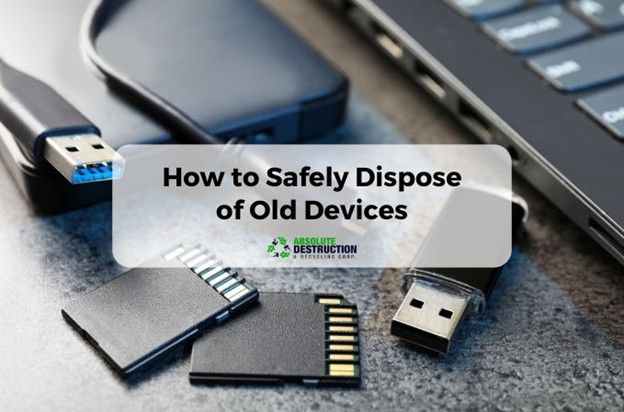
Most people have a drawer somewhere full of old tech. A hard drive from a past job. A phone you meant to reset but never did. A stack of USB drives you have not checked in years. These devices feel useless, but they are not harmless. They hold data. Some of that data can still be pulled, copied, or recovered long after the device stops working.
Throwing old devices in the trash is one of the easiest ways to expose personal information. The safest way to get rid of them is to destroy the data before the device leaves your hands. This guide walks you through what to do, what not to do, and when to call a professional destruction service.
Why Old Tech Is a Bigger Risk Than You Think
People assume deleted files are gone. They are not. Hard drives, phones, tablets, and USB drives store information in layers. Deleting a file only removes the visible layer. The deeper layers stay until the device is fully destroyed.
This is why identity thieves can recover data from devices left on the curb or sold at garage sales. It is also why businesses have strict rules about disposing of old hard drives. Personal information, financial details, client records, and login credentials can all sit on a device long after you stop using it.
What Not to Do
A lot of people try DIY destruction because it feels easier. Unfortunately, most home methods do not work.
- Breaking a USB in half will not destroy the memory chip inside.
- Smashing a hard drive with a hammer might dent the casing, but the platters can still hold recoverable information.
- Factory resets remove the surface level data but leave traces behind.
- Magnets do not wipe modern drives.
- Water does nothing.
If you want a clear walkthrough on why USB destruction is not simple, Absolute Destruction explains it in Tips for Destroying Old USB and Flash Drives. It shows how much data can survive even when the device looks broken.
How to Handle Old Hard Drives
Hard drives are built to store information securely. That is good when the drive is in use. It is a problem when it is not. Even damaged drives can hold recoverable data.
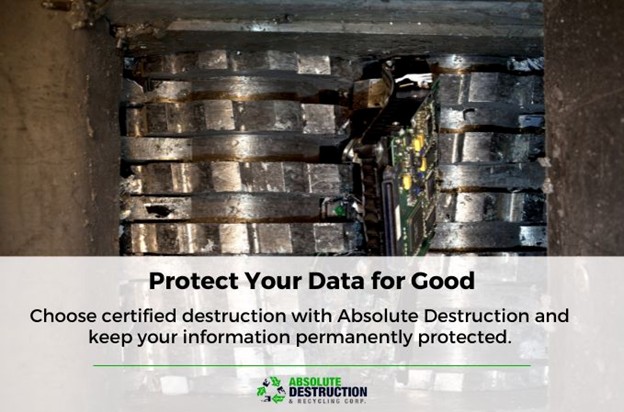
The safest option is to use a certified data destruction service. They physically shred the drive into small pieces, making recovery impossible. These services are especially important for old work computers, business devices, and laptops that held financial information.
Absolute Destruction provides secure hard drive destruction across multiple regions, including Pickering, Mississauga, London, Kitchener, Markham, Barrie, Brampton, and Oakville.
Hard drive shredding is fast, safe, and permanent. It removes the guesswork.
How to Dispose of Old USB Drives
USBs feel harmless because they are small. They are not. USB drives store data in a solid state chip. This chip can survive cracks, breaks, and dents. The only way to guarantee the data is gone is to destroy the memory chip itself.
Professional shredders slice the device into pieces small enough that the chip cannot be read. This is not something you can safely replicate at home.
Quick Facts About USB Destruction
• A USB’s memory chip can survive cracks, bends, and visible damage.
• Deleting files does not erase stored data.
• Factory resets remove only the surface layer of information.
• Heat, water, or magnets do not destroy the memory chip.
• Snapping the plastic casing does nothing to the internal storage.
• Professional shredders cut the chip into tiny fragments that cannot be recovered.
• This is the only method that guarantees permanent data destruction.
What About Old Phones and Tablets
Phones and tablets store more personal data than any other device. Photos. Messages. Emails. Saved passwords. Location history. Banking apps. Even after a factory reset, fragments of this information remain.
These devices require secure destruction because they contain multiple storage layers. Professional shredding ensures that none of those layers survive.
If you run a business, old company phones should never be reused or passed along without destruction. If you are a homeowner, never recycle electronics without removing or shredding the internal storage.
Why Professional Destruction Is the Only Guaranteed Method
Proper data destruction does not rely on software. It relies on physics. The device must be broken into pieces that prevent reconstruction. Shredding achieves this by cutting the device into fragments too small to read. When a business or individual chooses professional destruction, they eliminate the risk instead of reducing it. This is the difference between hoping the data is gone and knowing it is gone.
How Absolute Destruction Makes the Process Simple
The destruction process is straightforward. You hand over the devices. They are shredded. You receive confirmation. The data is gone forever.
Absolute Destruction handles personal and business requests, including on site shredding for larger volumes. Our team understands how sensitive digital information is and why disposal must be handled carefully.
TLDR: How to Get Rid of Old Hard Drives, USBs, and Devices Safely
• Old devices still hold recoverable data even after files are deleted or the device stops working.
• DIY destruction methods like breaking, smashing, or resetting do not wipe stored information.
• Hard drives, USBs, phones, and tablets all require physical destruction to ensure data is unrecoverable.
• Professional shredding is the only method that fully destroys the internal storage components.
• Absolute Destruction offers secure destruction services across Ontario, making safe disposal simple and accessible.
• Using a certified service protects you from identity theft, data exposure, and privacy risks.
Final Thoughts
Old hard drives, USBs, and devices are not harmless. They are full of information that can be recovered if they are not destroyed correctly. DIY methods are unpredictable. Software wipes are incomplete. The only safe solution is physical destruction through a certified data destruction service.
Absolute Destruction provides this service with speed, accuracy, and strict security standards. Whether you are cleaning out your home office or disposing of old company tech, proper destruction protects your privacy and prevents your data from falling into the wrong hands.