

December 30, 2021, Posted by Absolute Destruction
Last Updated:
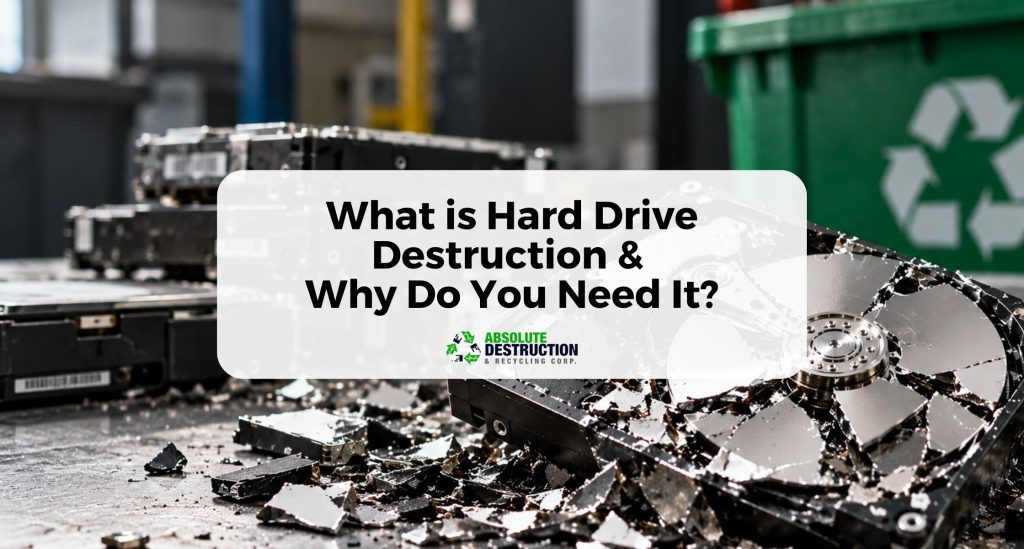
Key Takeaways
- Deleting or formatting a hard drive does not guarantee that stored data is permanently erased.
- Professional hard drive destruction uses shredding, crushing, degaussing, or secure data wiping depending on the storage media.
- Secure destruction helps protect personal, financial, customer, employee, and proprietary information from unauthorized recovery.
- Businesses benefit from a documented chain of custody and Certificate of Destruction as proof that sensitive media was securely handled.
- Destroyed hard drives can be sent through responsible e-waste recycling to recover usable materials and keep electronic waste out of landfills.
We spend our days in front of the computer dealing with businesses and transactions for some of us. We don't realize that nearly everything we do on our computers is stored in a storage device known as a hard disk drive.
The hard drive contains everything in your computer, including the operating system, software, image and data files, and documents. What most people don’t realize is that the hard disk drive will keep data in its memory even if you delete these files from your computer.
So what should you do if you want to wipe all memory from your computer completely? Data destruction is a simple yet crucial aspect of personal security and privacy. Learn more about hard drives and how to effectively destroy them in this post.
Why Deletion or Formatting Is Not Enough
When an employee hits "delete" or runs an OS-based format (Windows/macOS), the underlying files don't instantly vanish. Instead, the operating system simply alters the directory paths, marking that specific storage space as available to be overwritten. Until new data physically takes up that exact space, the original files remain completely intact on the drive's internal platters.
Discarding functional devices or throwing old files into regular waste streams is never a secure disposal method. Cybercriminals routinely deploy widely available data recovery tools and advanced forensic software to harvest corporate banking information, employee files, and financial records from discarded hardware. This creates massive digital threats for retired, relocated, or resold assets. To protect your organization from fraud and identity theft, look beyond basic formatting and choose an ongoing information security process that provides physical security and verified data sanitization.
Hard Drive Explained
Hard disk drives (HDDs), or simply hard drives, are a type of storage device typically used in computers or laptops. They serve as digital data storage hardware that contains a PC's operating system, installed software, as well as your data files and documents.
Hard drives are either internal or external. Internal hard drives are installed on your computer's motherboard and act as your computer's primary storage device.
On the other hand, external hard drive units are independent devices. You can access them by connecting them via a USB cable to the computer. Ideally, external HDDs should be in a protective case to prevent damage.
Hard Drive Destruction Methods: Physical vs. Digital
Data sanitization requires specialized equipment engineered to render data permanently unrecoverable. The chosen destruction method typically depends on whether your organization is managing traditional hard disk drives (HDDs) or modern solid-state drives (SSDs).
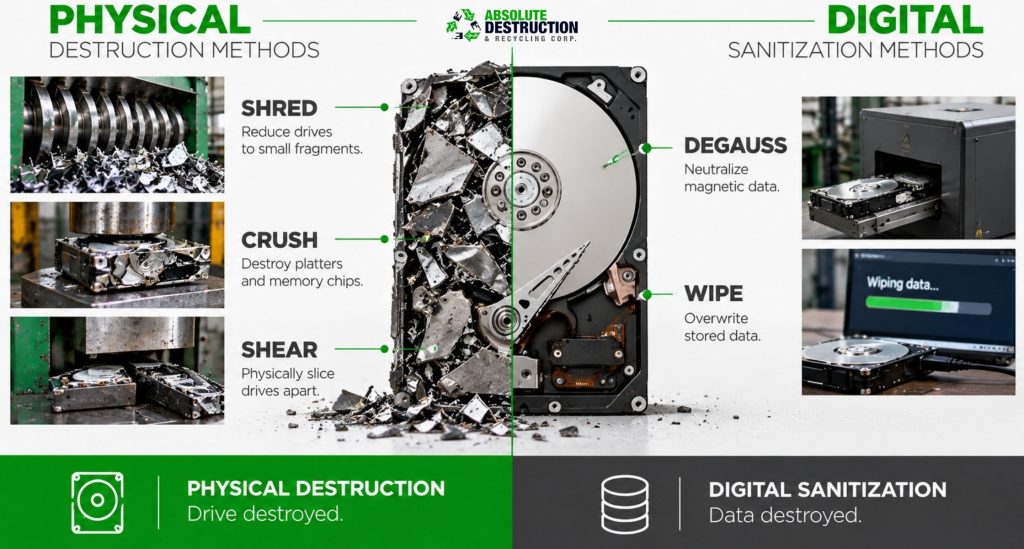
- Hard Drive Shredding: Industrial shredders slice hard drives into thousands of tiny, unreadable pieces. For highly sensitive corporate environments, microshredders reduce chips down to millimeter-sized fragments. This stands as the absolute gold standard for both HDDs and solid-state media.
- Hard Drive Crushing: Utilizing heavy-duty hydraulic crushers or pneumatic crushers, this physical destruction method applies tons of concentrated pressure to warp the metal chassis and shatter a drive's internal magnetic platters or flash memory chips.
- Degaussing: A degausser uses high-powered, industrial-strength magnetic fields to completely disrupt and neutralize the magnetic domains on a drive's magnetic platters. This sanitizes the drive digitally but leaves it physically intact (though completely unusable).
- Data Wiping/Overwriting: This digital method uses software to write patterns of meaningless data over every sector of the drive. While effective when matching strict sanitization guidelines, it is time-consuming, prone to human error, and completely ineffective on physically damaged or unreadable drives.
- Shearing and Incineration: Shearing physically slices drives in half using extreme mechanical force. Incineration involves high-temperature burning, which is usually reserved as a final step for specialized military or defense sector applications.
What Happens When Corporate Disposal Fails
History is filled with cautionary tales of organizations that trusted unverified third-party data storage facilities or ignored proper data decommissioning protocols.
In notable corporate history, major financial institutions and government agencies have faced multi-million-dollar penalties because they simply decommissioned old servers without running a verified data destruction verification process. Workers often assumed the drives were wiped, only for those un-shredded, damaged hard drives to show up online or in secondhand markets with customer records fully intact. These historic data breaches highlight why relying on professional hard drive shredding services utilizing industrial shredders is absolutely necessary to manage corporate risk.
The Need for Secure Hard Drive Destruction and Disposal
As mentioned earlier, hard disk drives serve as your computer's storage device. This means that everything you do and save on your computer is on the hard drive. So what happens if you want to get rid of every file, document, and data on your computer?
People often make the mistake of simply deleting the file or document on their computer. However, throwing files into the PC's recycle bin does not remove or destroy those files.
Improper disposal of computers and hard drives poses a grave risk. Data from hard drives, even if deleted, can still be retrieved, albeit through a rather tedious process.
This means that if someone gets hold of the computer or hard drive you recklessly disposed of, they can retrieve possibly sensitive or personal information and use it against you. Fortunately, there are several ways to dispose of hard drives and ensure they are completely void of data.
Legal and Compliance Requirements
Modern businesses operate under a strict web of Canadian and international data protection regulations and privacy laws. Retaining records too long or mishandling old electronic assets after device retirement creates a severe liability for your organization. Failing to follow strict destruction standards is a direct pathway to compliance breaches, massive data breaches, and devastating reputational harm.
For regulated industries like finance, legal, and healthcare, establishing a verified ITAD (Information Technology Asset Disposition) compliance strategy is a foundational legal requirement. Integrating certified commercial data destruction and routine commercial document destruction into your records management cycle ensures your company avoids corporate liability and severe financial penalties.
What is a Certificate of Data Destruction?
A Certificate of Destruction is an official, legally binding document issued by a trusted Canadian information destruction provider after your items are destroyed. This certificate serves as your audit-ready proof of service, confirming that your sensitive digital records and proprietary information were destroyed in full compliance with recognized international protocols.
A professional certificate includes critical data points required for corporate documentation and reporting purposes:
- Detailed list of individual hard drive serial numbers
- The exact time, date, and location of the physical destruction
- The specific destruction standards applied (e.g., NIST 800-88 or DoD 5220.22-M)
- The name of the certified technician supervising the chain of custody
Securing this certification is essential if your company faces audits under standards like NAID AAA or global frameworks like GDPR.
Destroying and Disposing of Your Hard Drive
Destroying and disposing of digital storage devices such as hard drives takes more than just wiping their contents. Before throwing an HDD away, you must ensure the data is no longer accessible. This is particularly important for people who store sensitive information such as contact details, bank information, financial records, or private photos and videos.
One way to ensure that your data is no longer recoverable is to destroy your hard drive completely. But there are right and considerably wrong ways to do it.
The main goal of destroying your hard drive is to damage the internal platters that store the data and memory.
One way to ruin your hard drive is to disassemble it from its case, open it up, and destroy the platters only. You can use magnets to fry the data from the device or sand the platter's surface to remove its magnetic coating.
Rougher methods of destroying your HDD include spiking the platters with a nail, hammering it repeatedly until parts disintegrate, or shredding it.
On the other hand, there are also ways to destroy a hard drive that are neither safe nor smart. One example is dunking the device underwater. Although dunking an electronic device underwater will destroy parts of it, the platter will still be intact and thus recoverable.
Other options you would want to avoid include setting the HDD on fire, microwaving it, dropping it from a high place, or melting it with acid. You can be methodical about it or go completely nuts.
Professional vs. DIY Hard Drive Destruction
Many organizations try to cut corners with DIY destruction methods, such as manual disassembly, drilling holes through a drive casing, or striking it with a hammer. These makeshift methods are dangerously unreliable. If a drill bit misses a specific sector platter or fails to shatter an SSD's flash memory chip, your client data remains entirely recoverable. Furthermore, DIY methods lack any official tracking, leaving you with zero legal documentation or proof of data sanitization if an audit occurs.
Professional data destruction relies on industry-grade equipment to guarantee complete data erasure. Absolute Destruction provides a secure infrastructure to lock down your data from start to finish:
- Secure Containers: Locked, tamper-proof containers placed directly inside your office to hold old hardware and files safely prior to destruction.
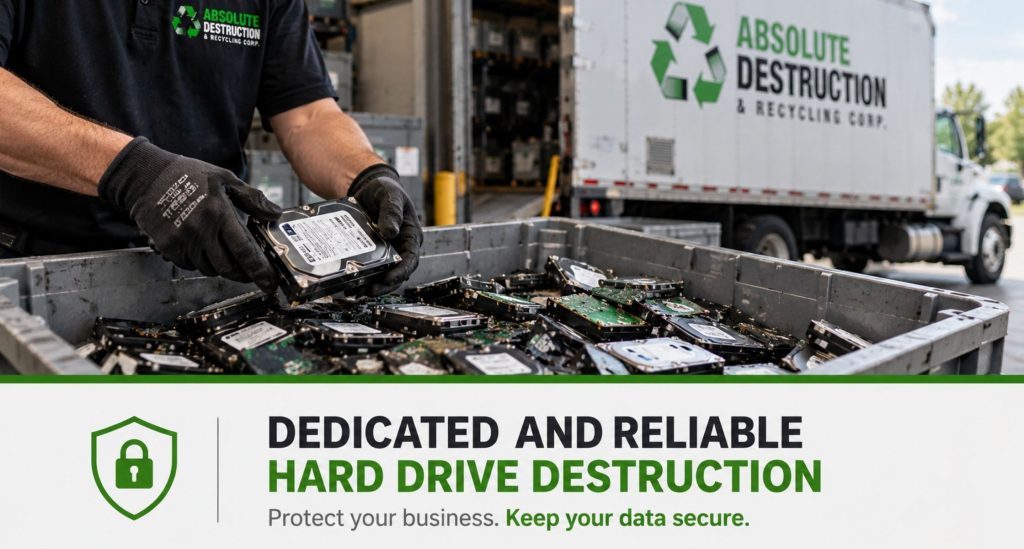
- Mobile Destruction: Specialized on-site destruction trucks equipped with industrial shredders pull up right to your curb, allowing you to witness the physical destruction firsthand.
- Off-Site Shredding: Transporting your old hardware and bulk shredding files inside locked trucks to a secure, heavily monitored facility for mass processing.
Risks of Poor Hard Drive Disposal
Improperly discarding electronic components or physical documents into regular trash bins exposes your organization to severe security and environmental threats.
- Identity Theft & Fraud: Disposed hardware can be recovered from trash bins by bad actors looking to harvest corporate banking information, client lists, and proprietary information.
- Reputational Harm: A single public data leak can permanently shatter customer trust, lower company valuation, and drive away long-term business partners.
- Environmental Degradation: Computers contain dangerous, hazardous materials and heavy metals such as lead, mercury, and cadmium. When dropped into standard landfills, these harmful materials eventually seep into local soil and groundwater networks.
Environmental Impact: Responsible E-Waste Recycling
Information security and environmental responsibility go hand in hand. Physical data security integrates seamlessly with eco-friendly e-waste recycling frameworks to minimize your electronic footprint.
Once industrial crushers or shredders completely pulverize your data storage devices, the remaining mixed fragments are routed to an authorized recycler. This raw material undergoes processing to isolate precious commodities, allowing extracted steel, aluminum, and copper to safely enter the global recycled metal market. Utilizing these circular electronic recycling networks helps your business achieve its sustainability goals, keeps toxic waste out of landfills, and ensures the clean recovery of e-waste without sacrificing confidentiality.
Things to Keep in Mind When Destroying Hard Drives
About Do-It-Yourself Methods
DIY data destruction methods can be unsafe as well as inefficient. Since you probably have little to no knowledge about data destruction, you can easily make a mistake and fail to destroy your hard drive effectively.
About Government and Data Security
Cybercrime is a serious offence. An NSA mandate requires that all data from computers be cleared before disposal to avoid data and information leaks from digital devices.
About Data Deletion
Technological advancements benefit hackers as they provide more opportunities to victimize unsuspecting individuals. It is important to remember that simply deleting sensitive files, documents, and information from your computer is not enough to keep hackers from accessing it.
Don't rely on do-it-yourself methods when you destroy and dispose of your hard drives. Schedule an appointment with Absolute Destruction and let them deal with it.
Pro Tip:
“Don't compromise your hard drive destruction by employing multiple methods in the process.”
Cost of Hard Drive Destruction
The investment required for professional data destruction varies depending on your company's scale and operational needs. Absolute Destruction outlines pricing through a transparent price per hard drive matrix or flat-rate structural tiers tailored to your specific setup:
- Volume of Material: Large-scale commercial cleanouts or massive specialty destruction projects naturally lower the individual processing cost per unit.
- Device Prep Work: The explicit price for a hard drive inside a computer or server rack accounts for the manual removal services performed by a technician on-site.
- Service Customization: On-site mobile shredding trucks tend to carry higher base rates than off-site facility processing due to fuel and specialized equipment transport.
- Logistical Frequency: Companies can set up flexible scheduling (such as weekly, monthly, or quarterly pickups) complete with secure containers provided on-site, or take advantage of local monthly drop-off events for smaller batches.
Dedicated and Reliable Hard Drive Destruction and Disposal Service
It is important to wipe all data on your hard drive before throwing it away. If you simply dump your hard drive or laptop in the trash, private, confidential, or sensitive information in the device that you wouldn't want other people to see may still be accessible.
Hard drive destruction is vital in keeping your information safe from malicious attacks and threats. Have professionals deal with destroying your digital storage device, so there is no risk or liability. Contact Absolute Destruction for data destruction, commercial shredding, and specialty destruction services in Southwestern Ontario.
What is Hard Drive Destruction & Why Do You Need It? FAQs
Is hard drive destruction necessary if I already deleted the files?
Yes. As highlighted in our section on digital residuals, deleting files or emptying the recycle bin does not clear the data from the drive's internal platters. It simply removes the visibility of the files. Professional physical destruction is the only way to guarantee the information is permanently gone.
Can a destroyed hard drive still be recovered?
No. Once an industrial shredder or heavy-duty crusher processes a drive, the internal magnetic layers and silicon flash chips are completely pulverized. There is no technology in existence that can reconstruct these microscopic fragments to pull readable data.
What’s the difference between hard drive destruction and wiping?
Data wiping uses software to overwrite sectors, which allows the drive to be reused but can easily miss damaged or hidden areas. Hard drive destruction physically obliterates the entire unit using industry-grade equipment, making it the safest option for final electronic disposal and compliance reporting purposes.
Do I need to remove the hard drive from the device first?
No. You do not need to disassemble your hardware. Our technicians provide full removal services right at your location. We can securely process loose internal drives, external units, or entire intact laptops, tablets, and desktop towers.
What is the best method for destroying a hard drive?
For traditional hard drives, industrial shredding or crushing is best. For modern Solid State Drives (SSDs), physical microshredding is required. Because SSD data is stored on tiny flash memory chips rather than magnetic platters, the drive must be run through an industrial shredder with a fine mesh screen to ensure the chips themselves are broken down entirely.
What happens to the remains after destruction?
Every piece of shredded material is securely managed through an eco-friendly asset management framework. The pulverized metal and plastic fragments are sent directly to an authorized recycler to enter the recycled metal market, supporting your company’s environmental sustainability goals while maintaining complete information security.
Does scratching a hard drive make it unreadable?
Scratches on the hard drive platter can cause device readability issues. However, it is also important to note that data stored in a scratched hard drive may still be recoverable.